
We’re excited to announce a new enhancement that gives you full control to update your bank account details directly from the app—quickly, securely.
This ensures your payouts continue smoothly, even if your banking information changes.
What’s New?
You can now update your bank account details from the Settings section in just a few steps. No support tickets, no delays.
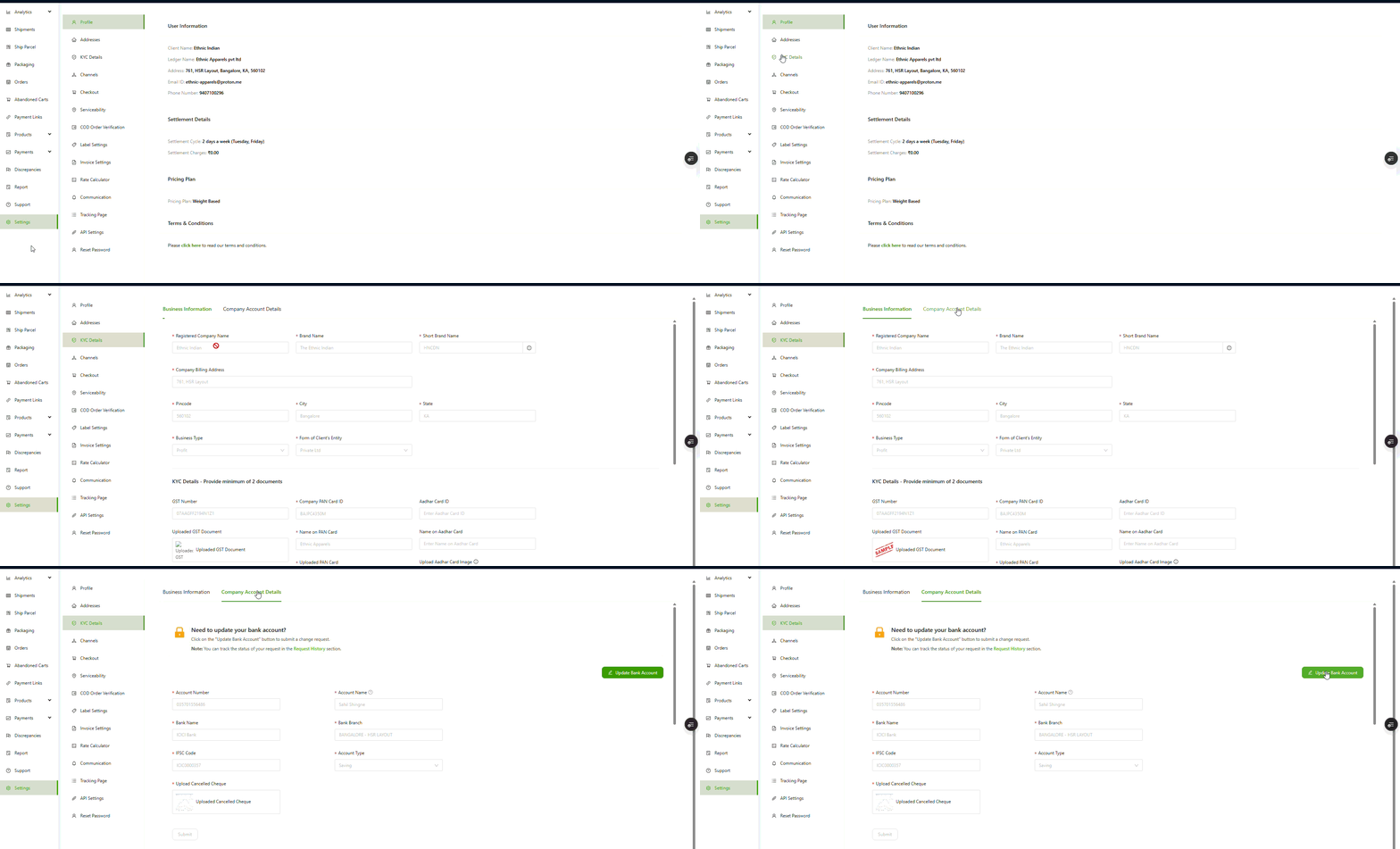
Where to Find It
Settings → KYC Details → Bank Account Details
A new “Update Bank Account” button is now available on this page.
How to Update Your Bank Account
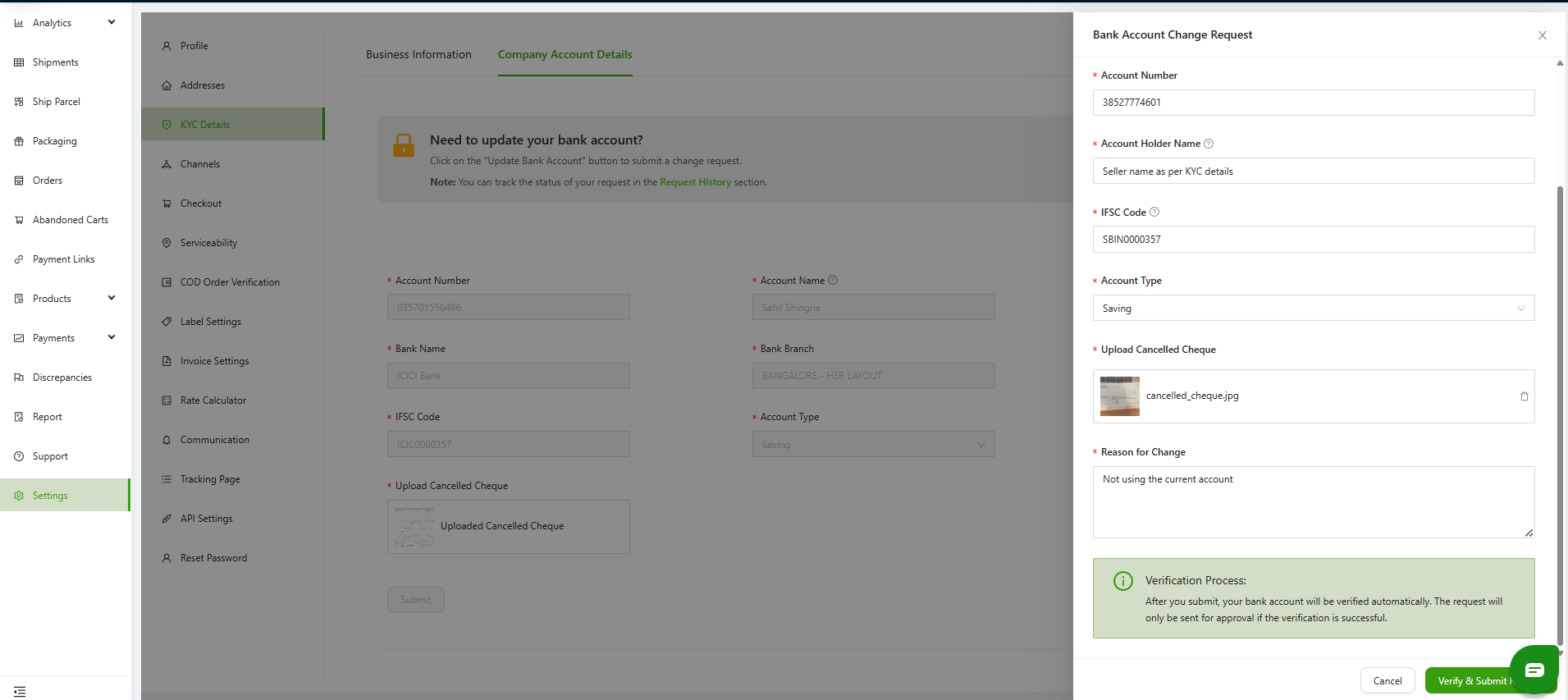
- Tap Update Bank Account
- Enter the following information:
Account Number
Account Holder Name
(Must match the name used in your KYC documents)IFSC Code
Account Type (Savings / Current)
Upload Cancelled Cheque
Reason for Change
Track Your Request Status
A status grid is available on the same page, where you can monitor all your past and current bank account update requests in real time.
Statuses include:
Pending – Awaiting review by Swift Admin
Approved – New bank details successfully updated
Rejected – Request declined by Admin (with reason)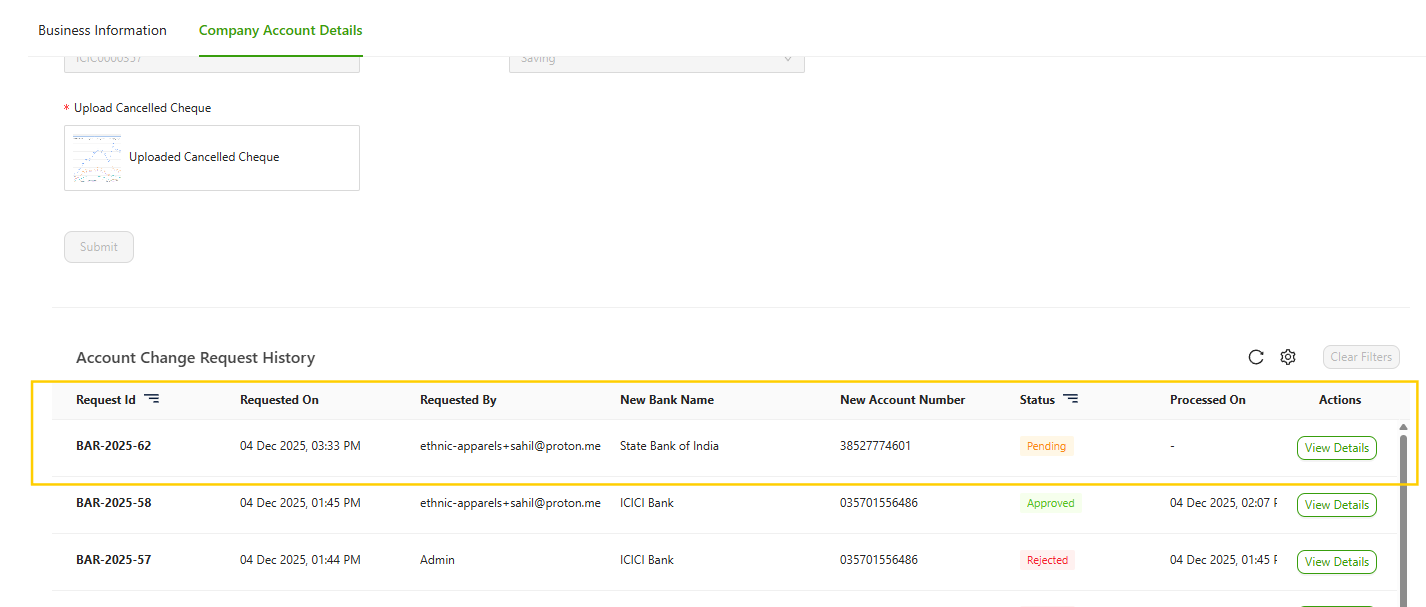
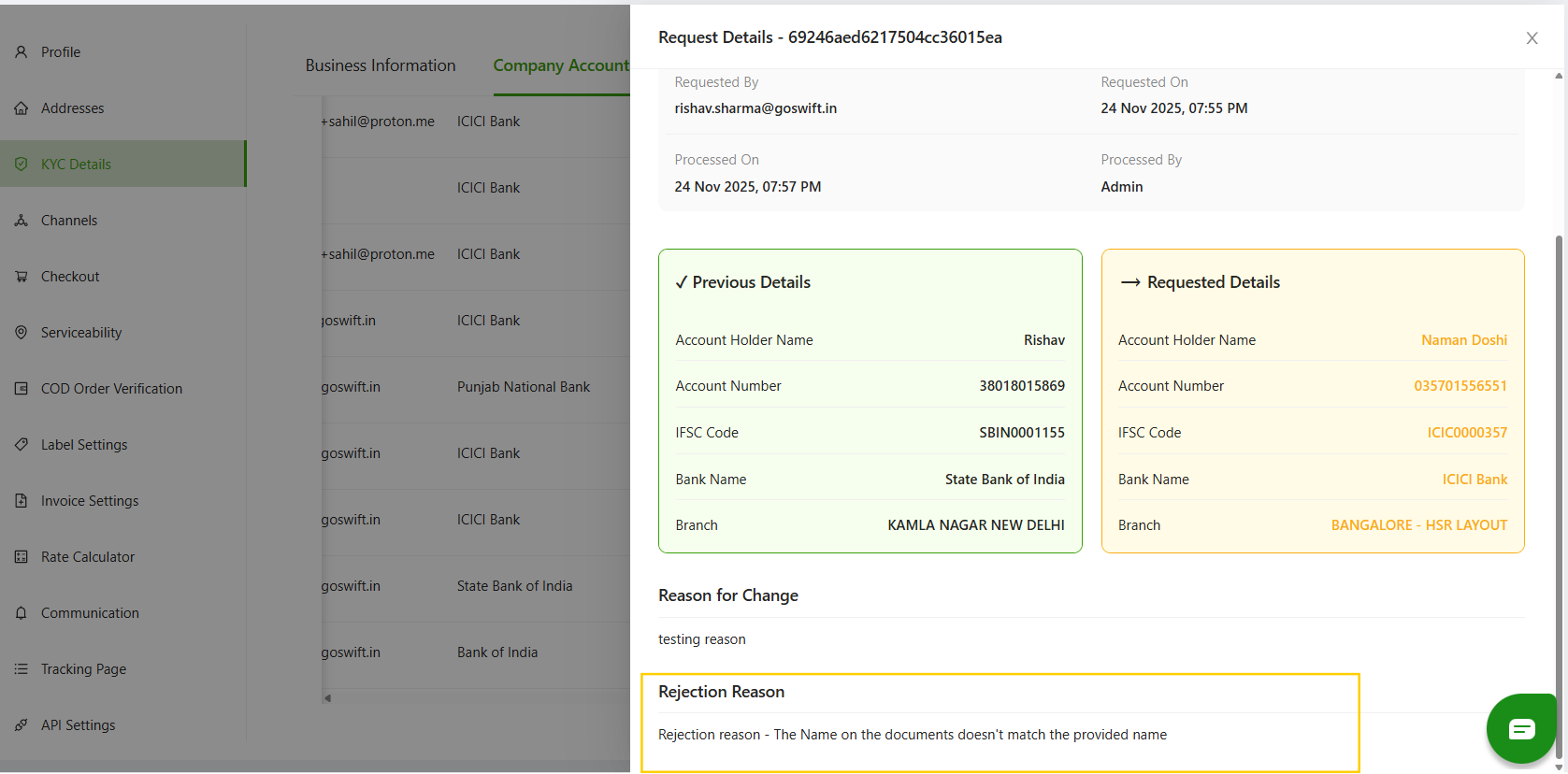
View Rejection Reasons (If Any)
If your request gets rejected:Find the Request ID in the grid
Click View Details
A side panel will open, showing the Admin’s reason for rejection
Important
If you submit a new bank update request while a previous one is still Pending, the older active request will automatically get rejected. This ensures only one active request exists at a time.
That’s It!
This new flow gives you:
Faster bank updates
Complete transparency
Self-service control without depending on support